Opens what you already have
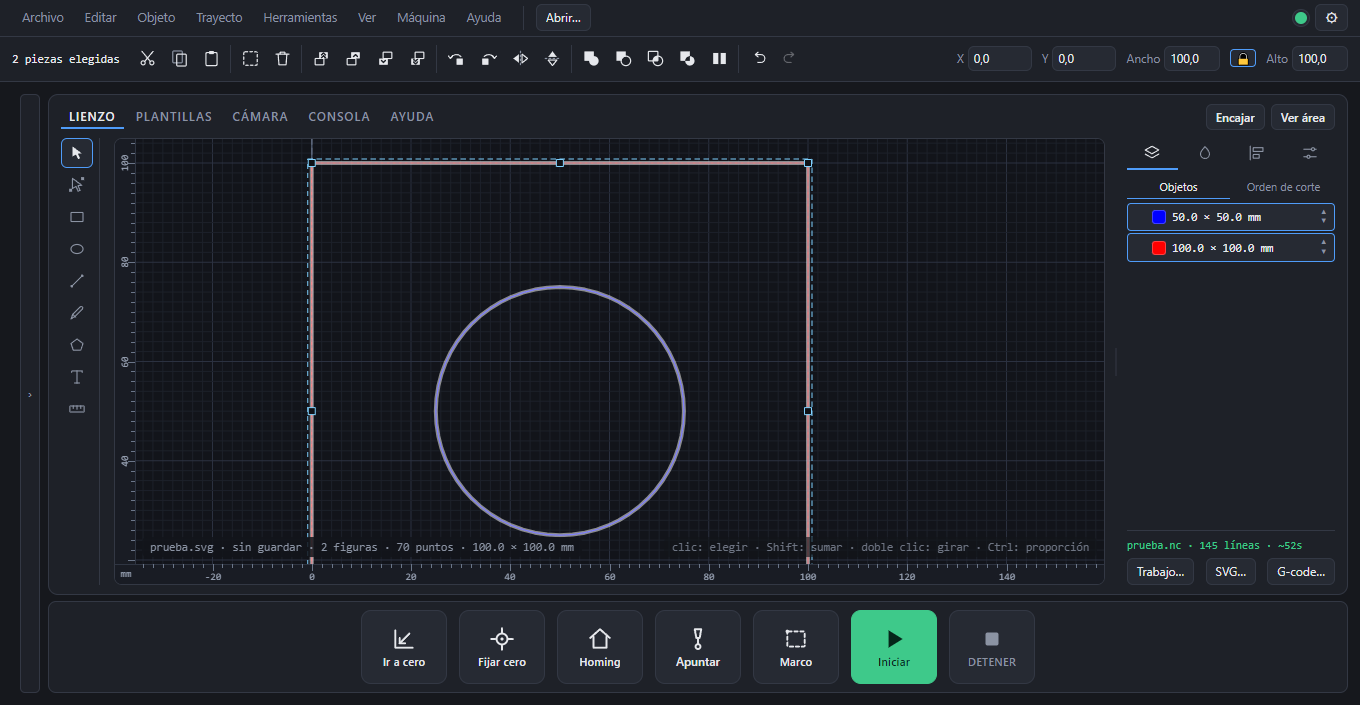
SVG, DXF, G-code and its own job files (.arteman). What you open becomes objects you can edit, not a pasted image.
For Windows · Free · Can be shared · beta
Open a drawing —SVG, DXF, G-code or one of its own jobs—, place it on the material, set how much power and what speed each color gets, and send it to the machine.
Version 0.1.0 beta · Windows 10 and 11 · 79 MB
First public release. It is in real use on a 1500 mm GRBL 1.1 machine with no limit switches; it has not been tested against other firmware yet.
It generates the G-code, and it generates it looking at what the machine answered it can do. When GRBL is in alarm it will not let you press Start: it tells you what happened and what the two ways out are.
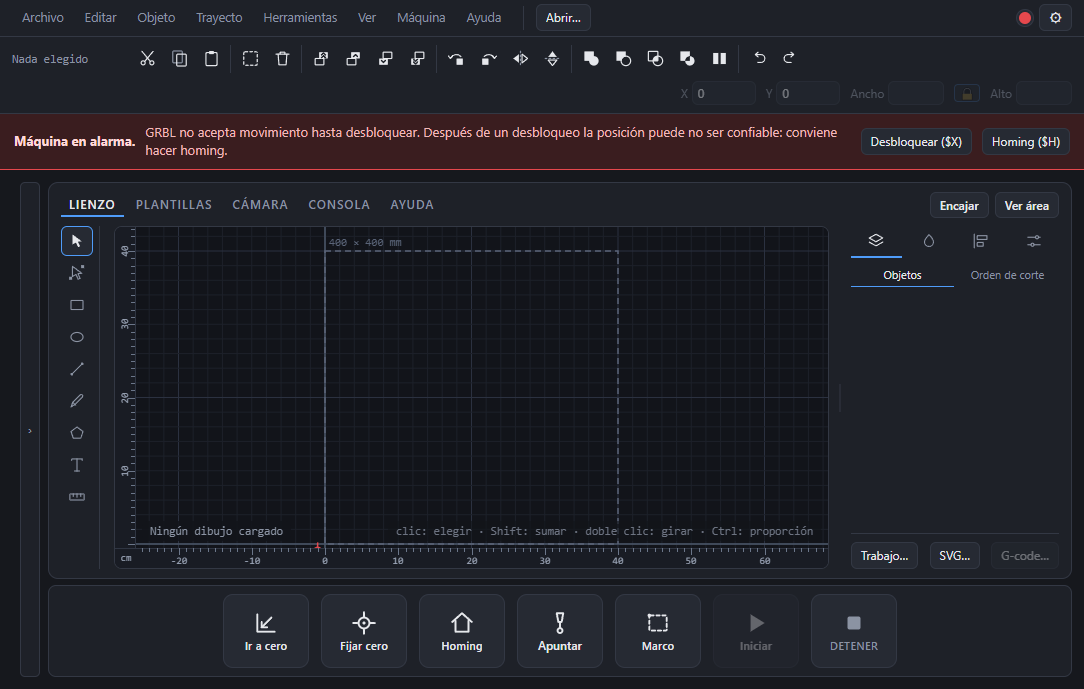
SVG, DXF, G-code and its own job files (.arteman). What you open becomes objects you can edit, not a pasted image.
Shapes, text, nodes and path operations: union, subtract, holes, align, measure. No going back to the other program for one 3 mm hole.
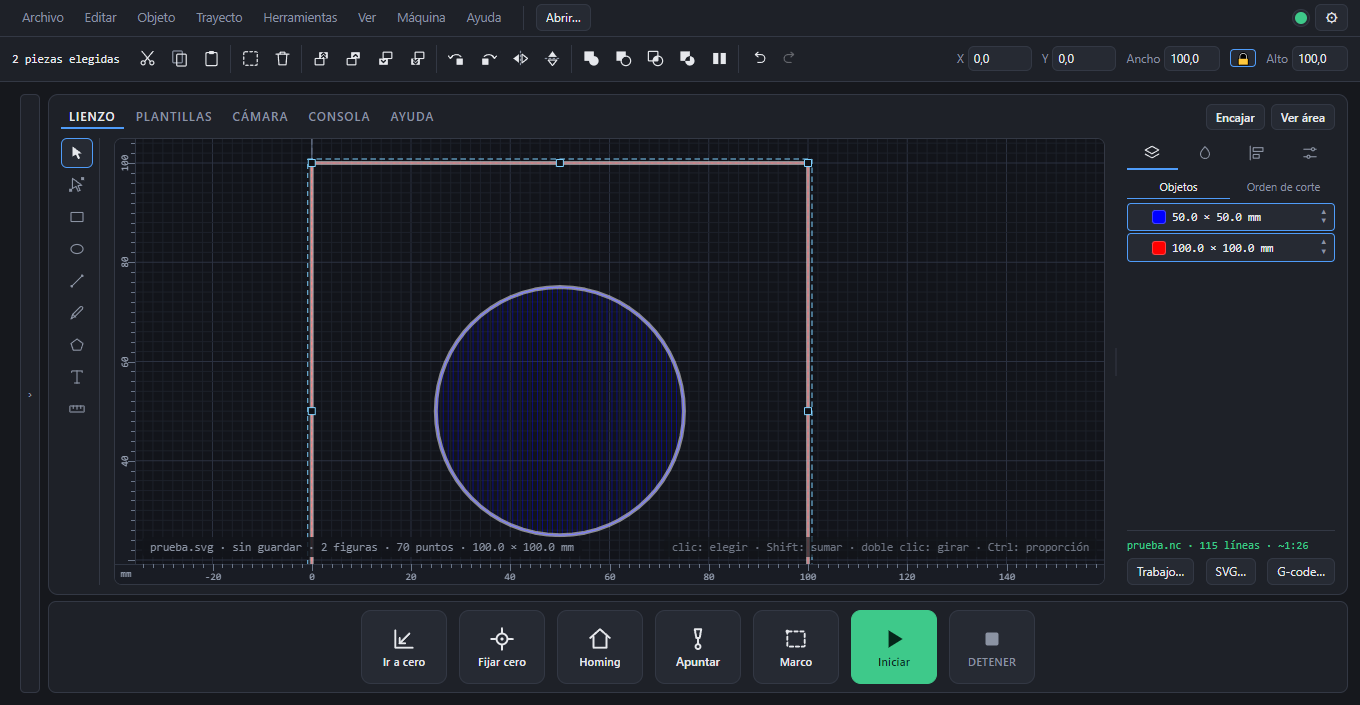
Cutting and engraving are set per color, and the cutting order is visible and editable before you start: inner holes first, outline last.
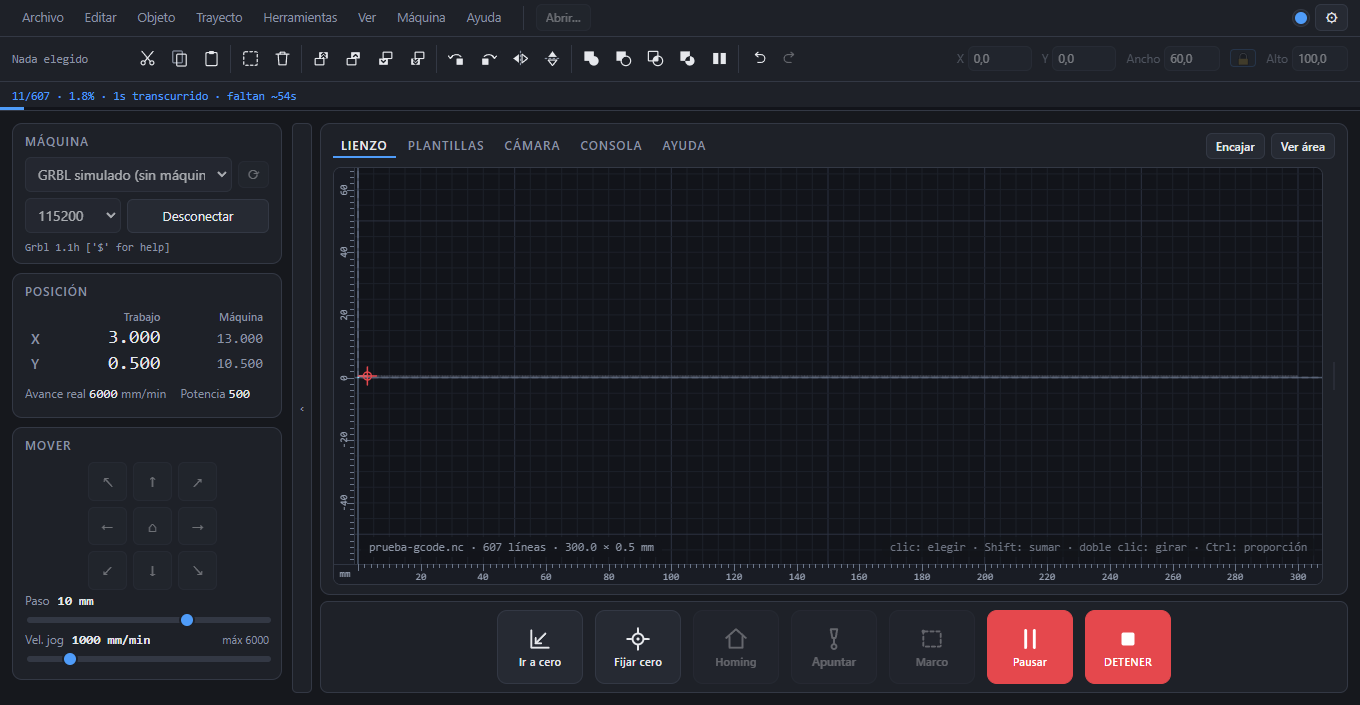
How many lines and how long it will take, the path drawn over the material, and Frame: the machine traces the outline with the laser off so you can see where it will land.
See the bed from the computer to place the drawing on material that is already clamped down, instead of measuring with a ruler and hoping.
Pause, stop and jog the machine from your phone over your own WiFi. The server is local: it does not go out to the internet.
This is not legal boilerplate, so it sits here and not in a footnote. Three things the program does, and three that are yours.
Closing the window, an uncaught error, quitting to update: every one of those paths releases the port with a soft reset first. STOP and the Escape key always work, even while you are typing in a field.
No downloading an update, no installing it, no writing the recovery copy. A cut is the only thing this program does that cannot be redone: the material is already burnt.
Menu items press the same button you see on screen, and every failure goes through the same place. Two paths drift apart, and the day they do there will be a sheet on the bed.
These three times, and all three are written to the log. The license says the same.
It does not send your drawings, your files or the log anywhere. If you want to send the log so someone can look at a problem, you send it yourself, by hand.
The Templates tab opens Arteman Cut, a web service with its own account and its own terms: boxes, signs and parametric parts ready to cut. The program is free either way, with templates or without them.
Version 0.1.0 beta · Windows 10 and 11 · 79 MB
Antivirus not letting you download the .exe? Get it zipped (.zip)
Free, no account, no per-machine license and no expiry date. Install it on as many computers as you need, and pass the installer to whoever you want.
The installer is not signed with a certificate yet, so Windows shows a blue screen saying it does not know the program. To go on: More info → Run anyway. If you would rather not do that, waiting for a signed build is a fair call.
Inside the program, in the Help tab. It lives there and not here so there are never two versions of the same text, and so you have it when the workshop has no internet.
Yes. No account, no per-machine license, no trial, nothing to renew. You can use it for work you charge for.
If it speaks GRBL over USB, it should. Today it is tested against GRBL 1.1, on a 1500 mm machine with no limit switches. Other firmware has not been tested, so if yours is different, that is exactly what is worth telling.
No. Today it is Windows.
It asks once per launch whether there is a new version and says so in the Help menu. It does not download or install anything until you ask, and never while the machine is cutting. It can be turned off.
Yes: by email, on a USB stick, or along with a machine you sell. Whole and unchanged, without charging for the program, and with its license. Still better to send people here, because an old copy going around never gets the fixes.
No. It is free and can be shared, but the code belongs to Leandro Arteman and may not be modified, decompiled or used to build another program.